
Every process. Live.
TaskMaster is a task manager that updates in real time and still idles near zero. Sort, search, group, inspect and end any process, with CPU, memory, network and disk history one click away.
curl -fsSL https://taskmaster.mdnlabs.dev/install.sh | bashmacOS now, Windows next. MIT license. No account, no telemetry, nothing uploaded.
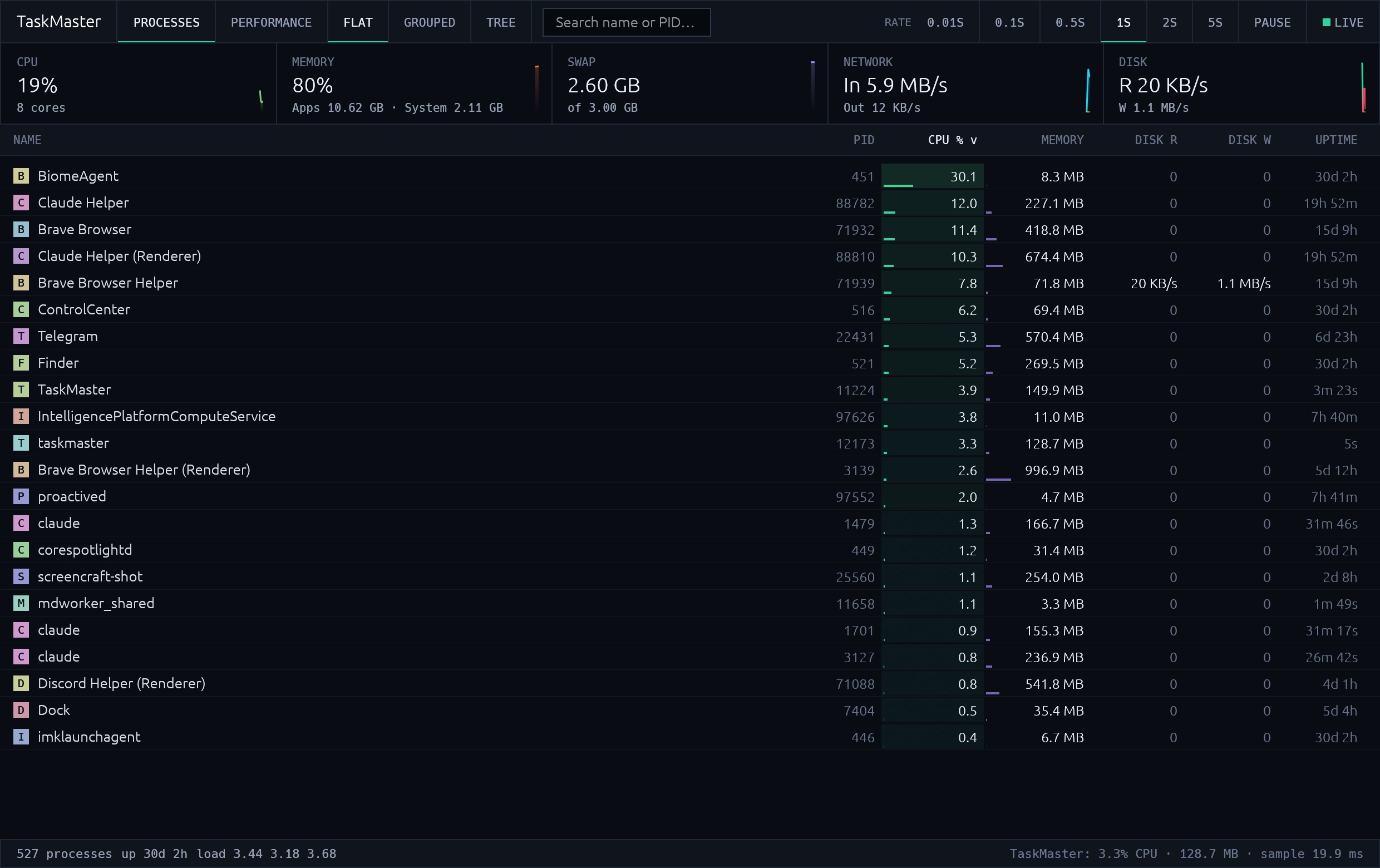
Try it live.
A simulated machine, updating every second the way the app does. Click a column to sort, type to filter, click a row to select it.
Just 3 steps.
Open
Launch it. Every process is already there, updating once a second.
Spot
Heat bars light up what burns CPU or memory. Sort, search or group by app.
End
Select a runaway process, check its history and path, and end it.
Real time, not real heavy
A background sampler refreshes only what the table shows. It slows down when another app has focus and stops completely when you minimize or pause, so watching your Mac never slows it down. The status bar shows TaskMaster's own CPU and memory, live.
Small on purpose
One native binary of a few megabytes. No web view, no runtime, no helper daemon. Pure Rust with egui, so it starts instantly.
What is inside
- Live process table
- PID, CPU, memory, disk read and write, and uptime, sortable and searchable.
- Flat, grouped, tree
- Collapse helper processes into their app, or follow the parent and child tree.
- Honest memory
- Per-process footprint like Activity Monitor, with apps and system (kernel, compressed) split out.
- Performance charts
- Two minutes of CPU, per-core load, memory, network and disk history.
- Process inspector
- Per-process CPU and memory history, parent, path and full command line.
- End or force quit
- Ask first, then terminate or force quit. Right-click for more, Delete for speed.
- Adaptive refresh
- Pick 0.5 to 5 seconds. Eco mode throttles in the background and pauses when minimized.
Know what your Mac is doing. Right now.
Free and open source. Download it and watch every process live.